Connect to Jira
Learn how to connect Jira to everfind.
Written By Julian Dik
Last updated 11 months ago
Step 1
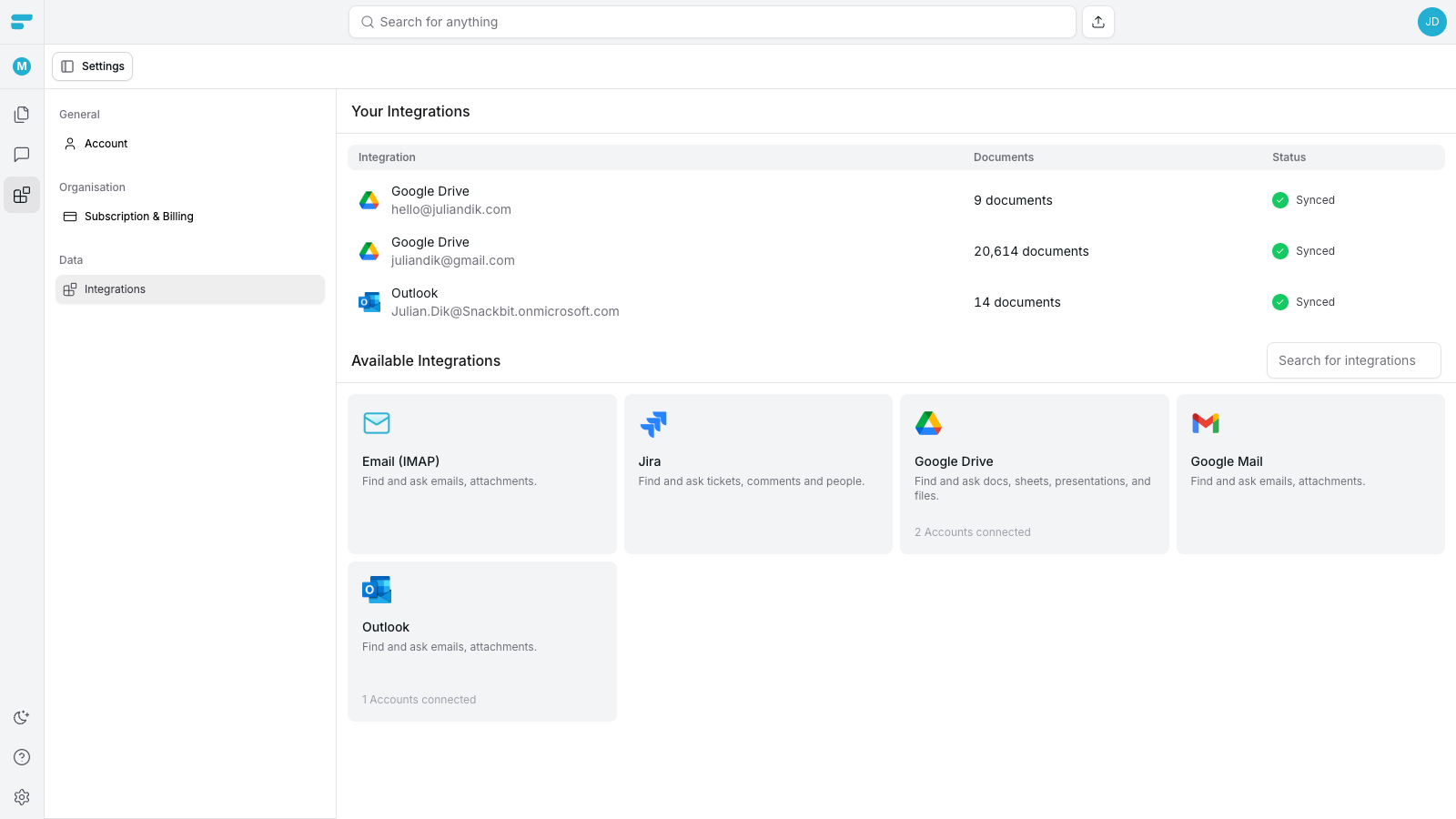
Head over to our integrations page in the settings and click on Jira.
Step 2
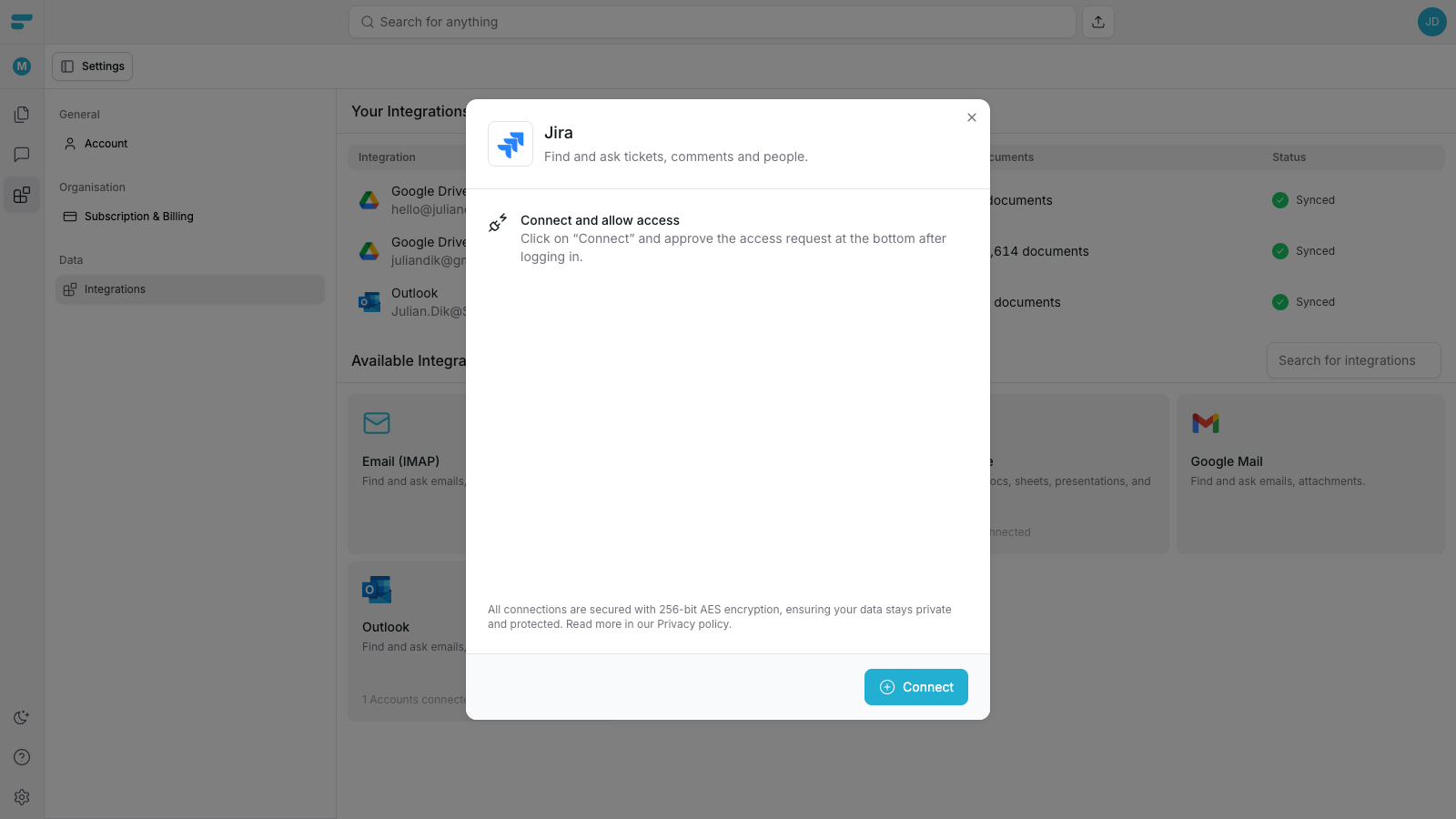
Our connection window will pop-up. Click on the connect button to continue.
Step 3
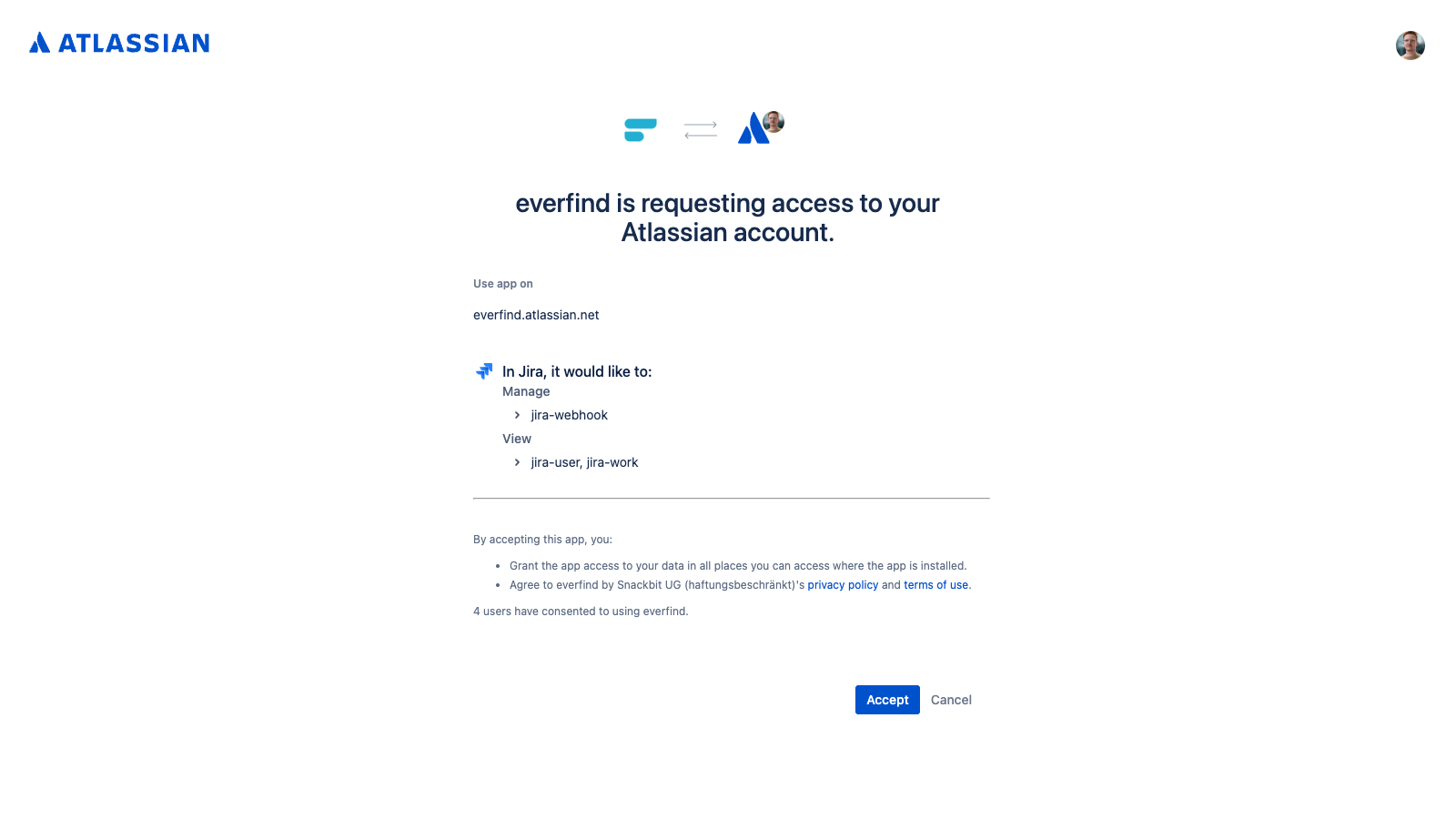
You’ll be redirected to Atlassian. Login to your account and accept the request of everfind to access your Atlassian account data.
Step 4
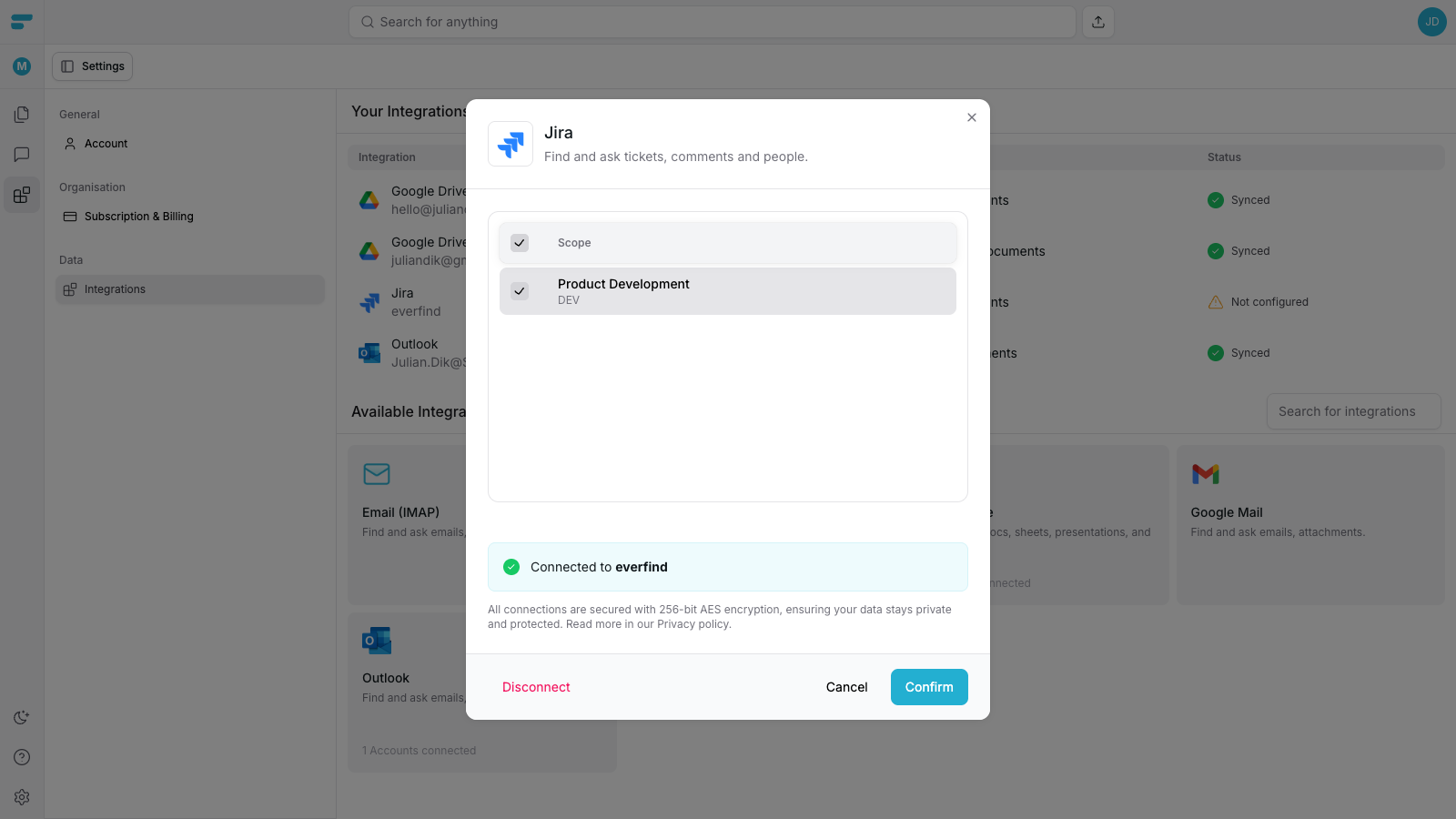
Select/unselect projects of your Jira account that you want/want not to sync with everfind. Click on “Confirm” to continue.
Step 5
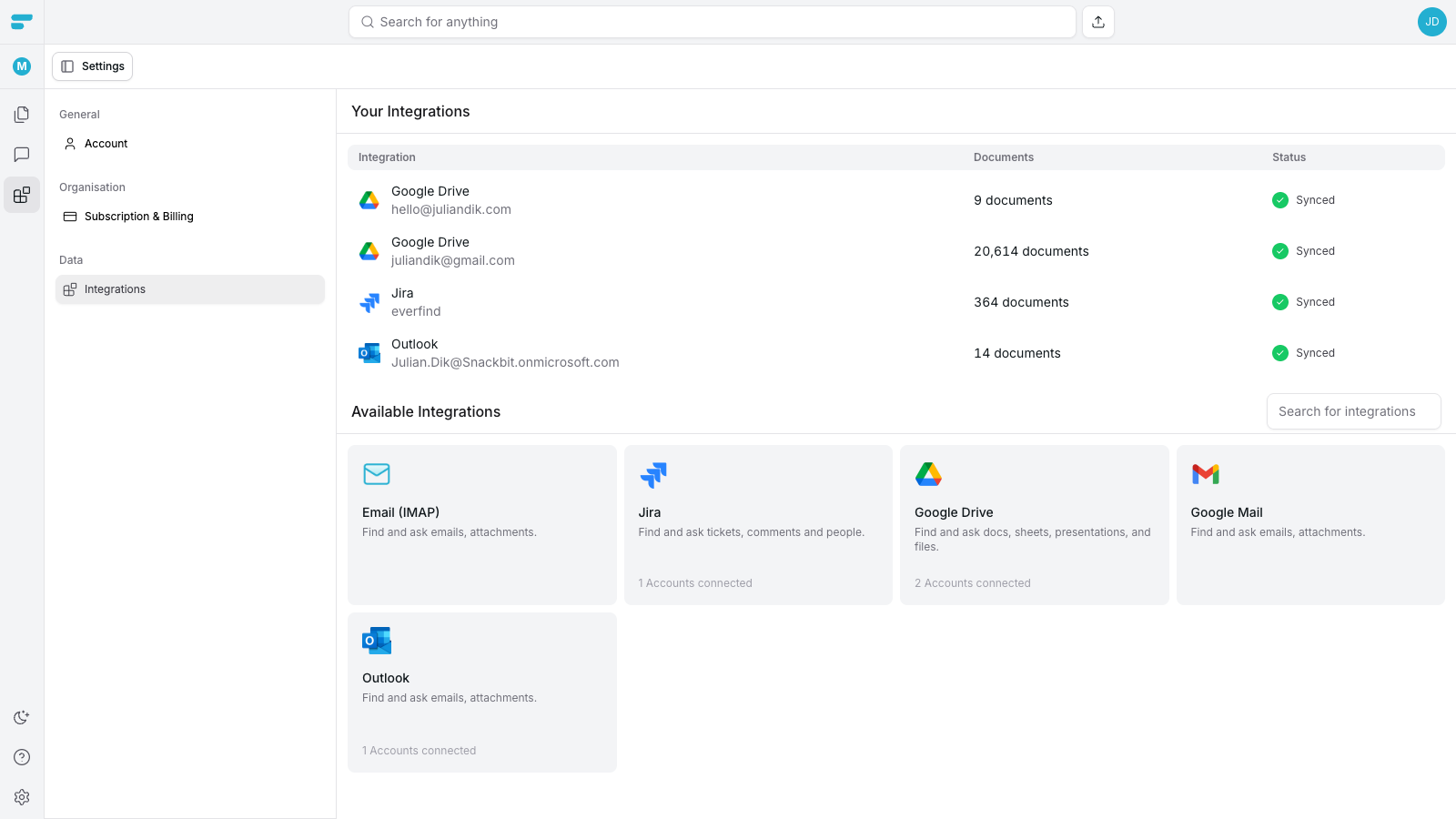
After confirming the pop-up closes and you’ll notice that your Jira account is shown in the list.
The sync process just started and takes on average 2-3 minutes to finish, depending on the amount of tickets in your Jira projects.
Step 6
After finishing the sync process, you’ll see the “Synced” status. From here on all updates will be synced live and no action is required.
Was this helpful?
Still need help? Ask the team