Connect to Google Mail
Learn how to connect everfind to Google Mail.
Written By Julian Dik
Last updated 10 months ago
Step 1
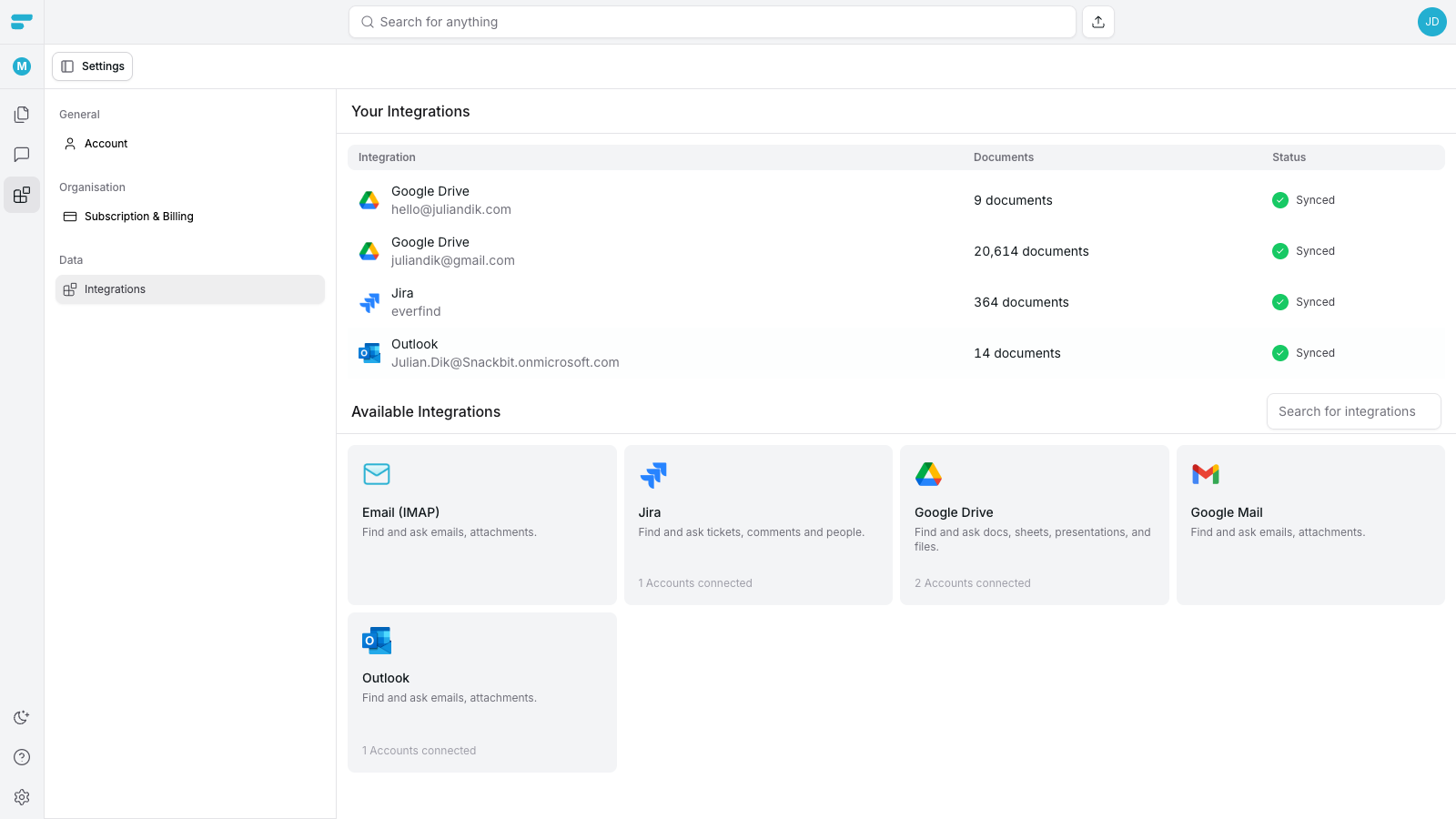
Head over to our integrations page in the settings and click on Google Mail.
Step 2
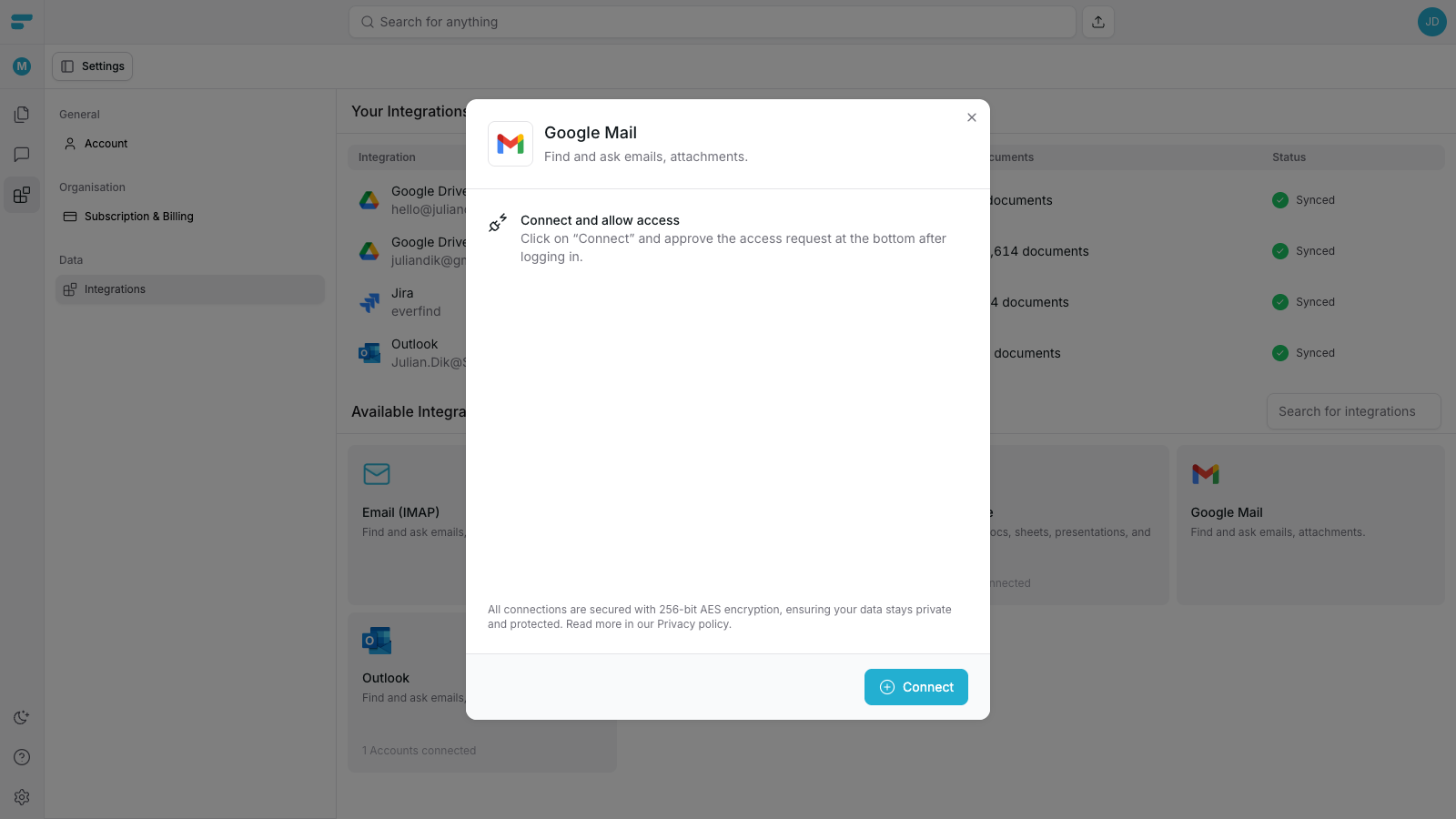
Our connection window will pop-up. Click on the connect button to continue.
Step 3
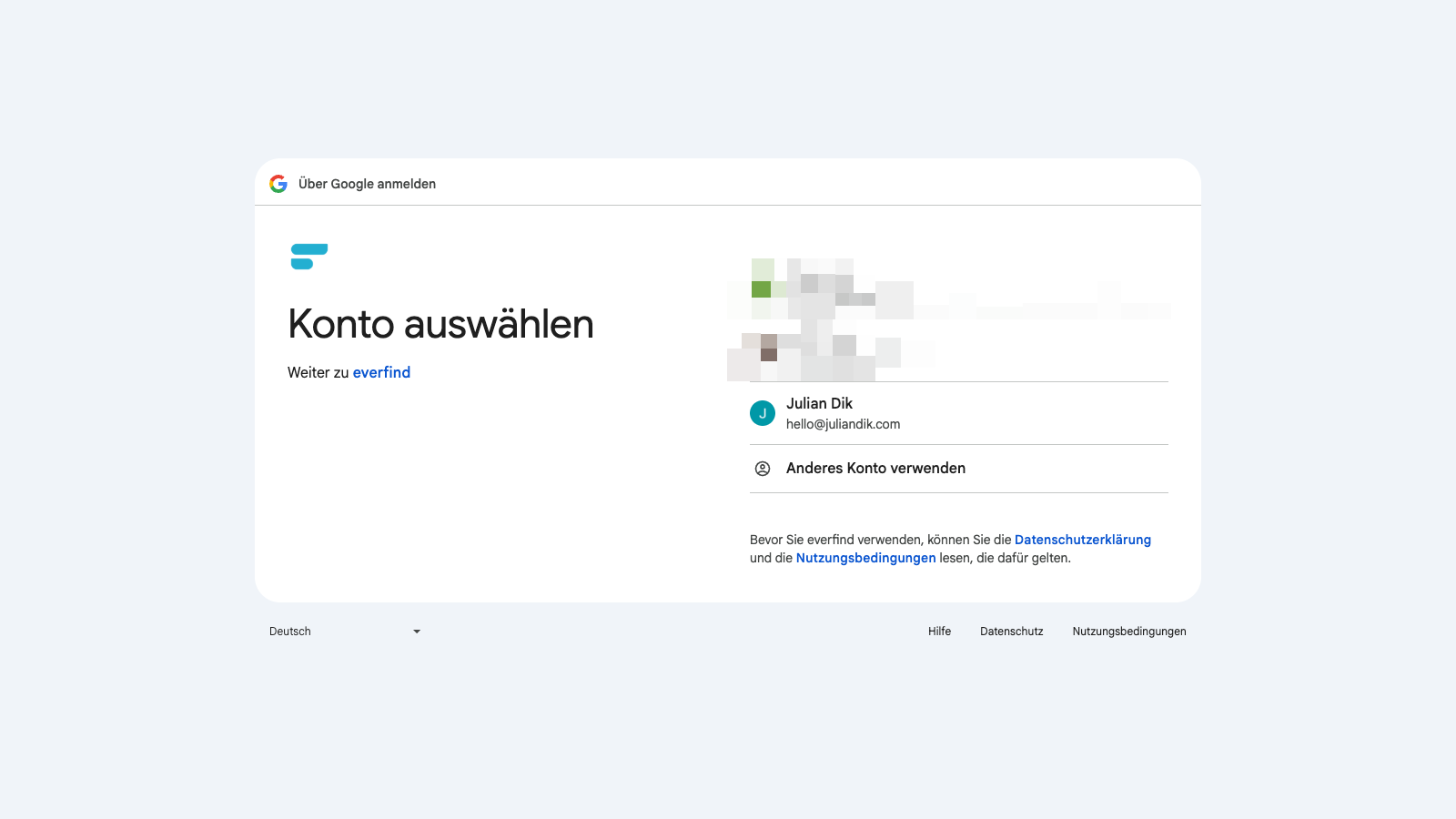
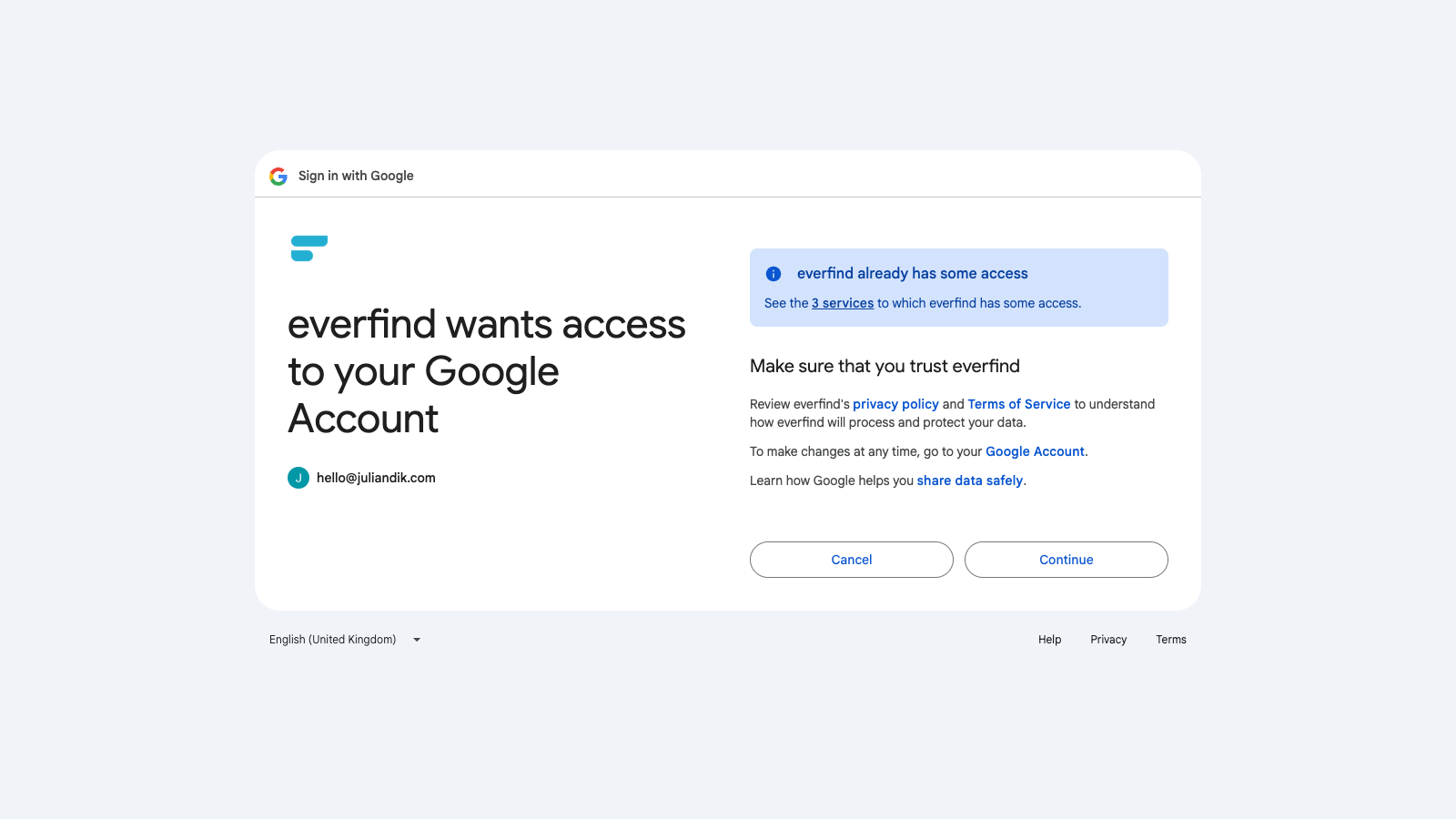
You’ll be redirected to Google Mail. Login to your account and accept the request of everfind to access your Google Mail account data.
Step 4
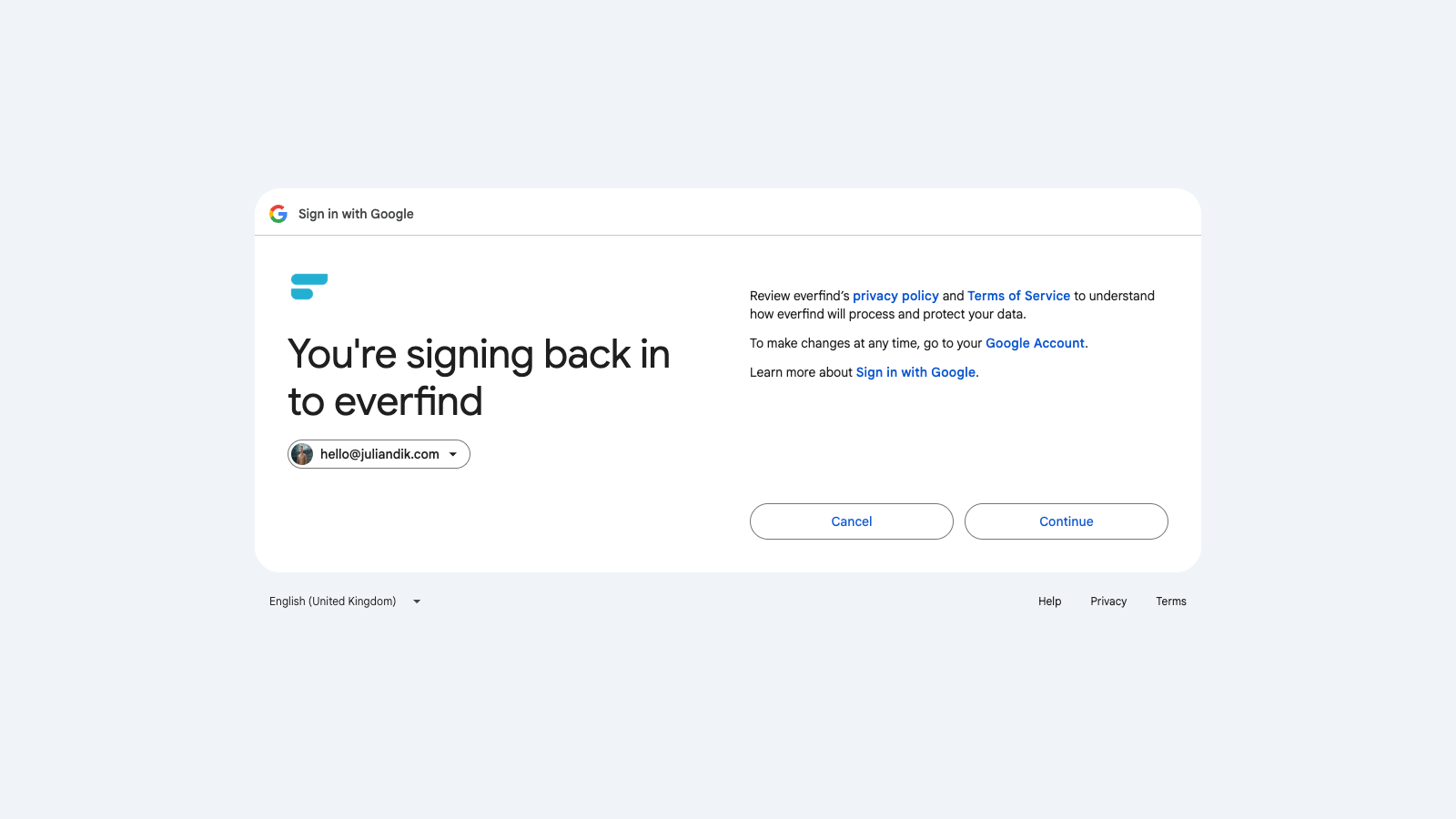
Click on continue.
Step 5
Accept the request of everfind to allow Google Mail Access of your data.
Step 6
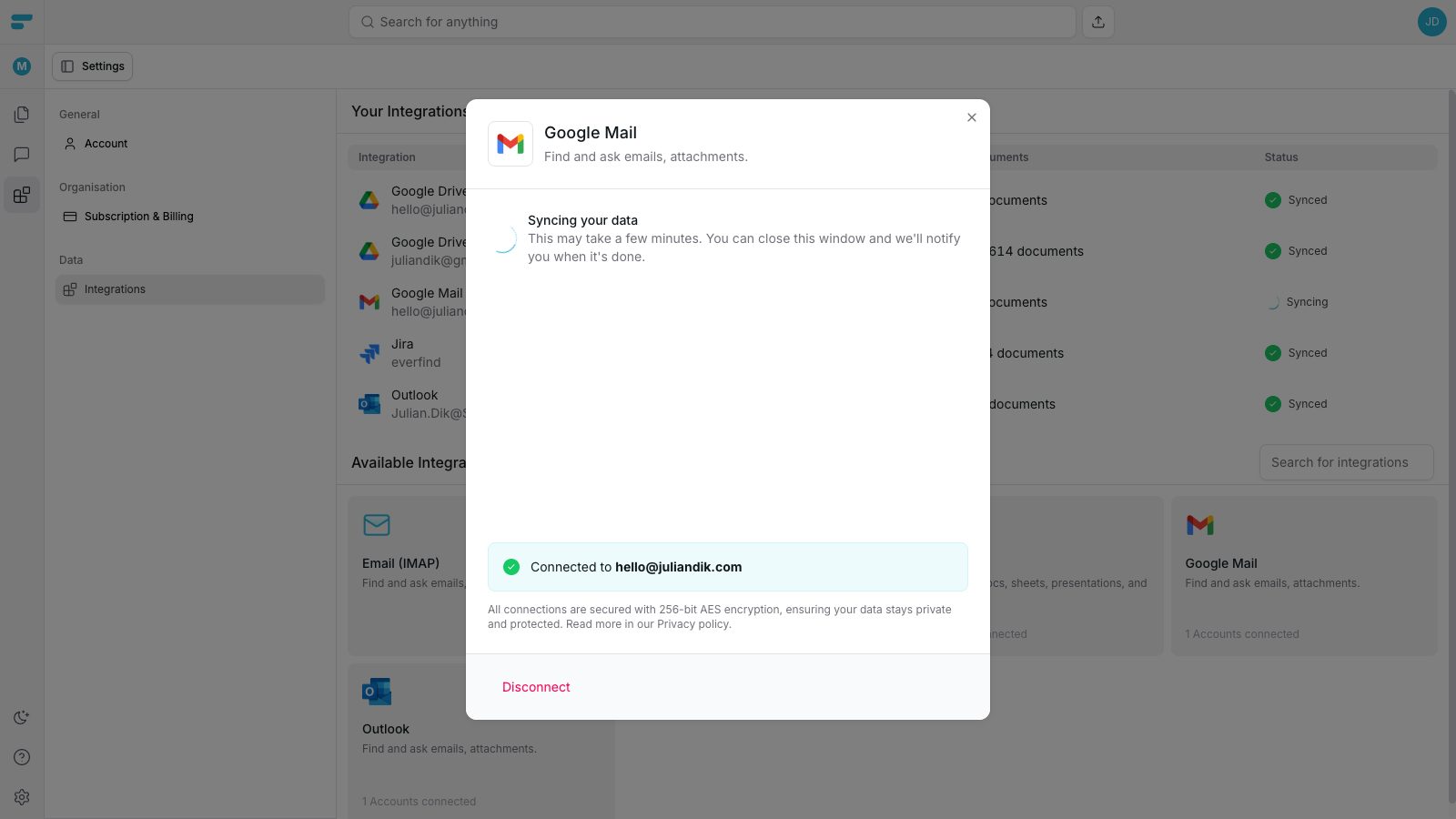
Your Google Mail account starts syncing with everfind. It can take a while to sync your email account based on how many emails you have.
Step 7
After the sync finished, you will see the “Synced” status.